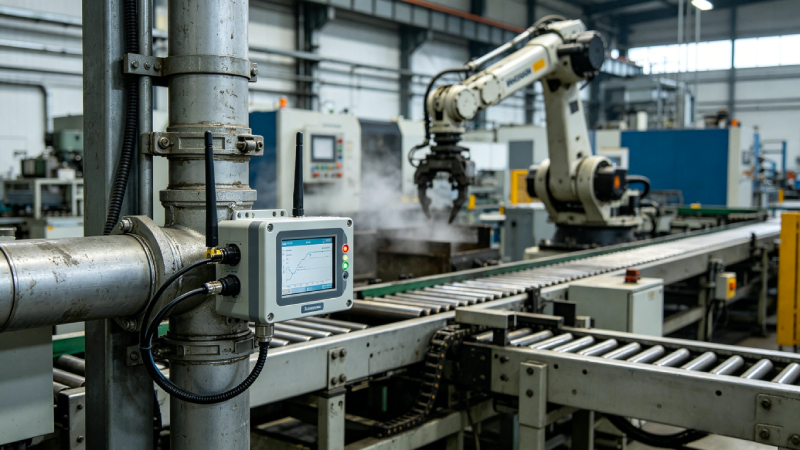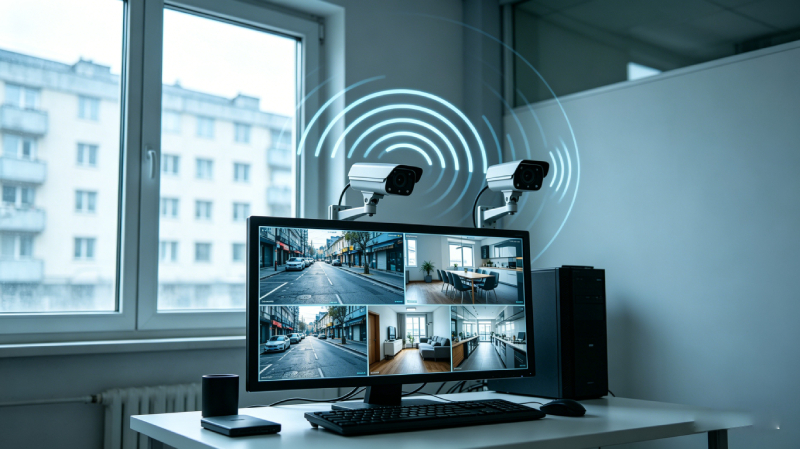
How to monitor industrial equipment in real time is a critical question for modern industrial operations. As machinery becomes more complex, businesses need continuous visibility into performance, condition, and efficiency. Real-time equipment monitoring enables teams to detect issues instantly, reduce downtime, and optimize maintenance strategies.
To monitor industrial equipment in real time, install sensors on critical machines, transmit data via IoT connectivity, process it using edge or cloud software, set alert thresholds, and integrate alerts into maintenance workflows.
For a broader overview, read our Equipment Monitoring Systems Guide.
What Is Real-Time Industrial Equipment Monitoring?
Real-time industrial equipment monitoring refers to continuously observing machines and industrial processes to detect changes in performance or condition as they happen, a concept widely adopted in industrial IoT frameworks as defined by IBM.
This approach is particularly valuable in manufacturing, utilities, and logistics operations, where unplanned downtime can have significant financial and operational consequences.

What Data Should You Monitor?
To implement effective real-time monitoring, it’s crucial to identify which data provides actionable insights. Monitoring irrelevant metrics may create noise and overwhelm teams.
| Data Type | What It Shows | Example Use |
|---|---|---|
| Vibration | Mechanical wear | Motor failure warning |
| Temperature | Overheating | Bearing or motor issue |
| Pressure | System imbalance | Pipeline or hydraulic issue |
| Energy Use | Efficiency | Detect abnormal consumption |
| Runtime | Utilization | Maintenance scheduling |
Tracking these parameters allows industrial teams to make informed maintenance decisions and optimize production efficiency.
Step-by-Step: How to Monitor Industrial Equipment in Real Time
Implementing a real-time monitoring system requires a structured approach:
Step 1: Identify Critical Equipment
Determine which machines are essential to production and pose the highest risk if they fail.
Step 2: Choose the Right Sensor Types
Select sensors based on the parameters to monitor, including vibration, temperature, pressure, current, and GPS/location.
Step 3: Select Connectivity Method
Decide on cellular, Wi-Fi, LPWAN, or Ethernet based on site conditions and data requirements.
Step 4: Connect Data to Edge or Cloud Platform
Edge computing allows immediate alerts, while cloud platforms provide centralized analytics for multiple sites.
Step 5: Set Alert Thresholds
Configure thresholds for monitored metrics to trigger real-time alerts.
Step 6: Integrate with Maintenance Workflows
Connect alerts to ERP, CMMS, or SCADA systems to automate work orders and maintenance actions.
Step 7: Review Data and Optimize Continuously
Analyze trends regularly, refine thresholds, and improve alert accuracy to maintain effective monitoring.
This structured implementation ensures that real-time monitoring is actionable, reliable, and aligned with operational goals.

Sensors Needed for Real-Time Equipment Monitoring
Selecting the right sensors is critical for collecting meaningful data:
-
Vibration Sensors: Detect mechanical wear and misalignment.
-
Temperature Sensors: Monitor overheating and thermal issues.
-
Pressure Sensors: Track hydraulic or pneumatic systems for imbalances.
-
Current Sensors: Measure electrical load and detect abnormal consumption.
-
GPS / Location Modules: Track mobile or distributed assets.
-
Gateway Devices: Aggregate sensor data and transmit to edge or cloud platforms.
Proper sensor selection ensures that monitoring data supports predictive maintenance and improves operational decision-making.
Connectivity Options: Cellular, Wi-Fi, LPWAN, Ethernet
Choosing the right connectivity is critical for reliable real-time equipment monitoring, especially in industrial IoT environments, as outlined by Cisco’s IoT framework.
Connectivity determines how reliably monitoring data reaches the processing platform:
-
Cellular: Ideal for remote or distributed sites, moderate latency.
-
Wi-Fi: Effective for indoor operations with stable coverage.
-
LPWAN: Long-range, low-power networks suitable for sparse sensors.
-
Ethernet: Reliable and low-latency, requires wired infrastructure.
Choosing the right connectivity option ensures uninterrupted real-time equipment monitoring.
Edge vs Cloud Monitoring
Data can be processed locally (edge) or centrally (cloud), each with advantages:
| Option | Best For | Limitation |
|---|---|---|
| Edge Monitoring | Immediate alerts, fast response | Less centralized analytics |
| Cloud Monitoring | Multi-site management, historical trends | Dependent on connectivity |
| Hybrid Monitoring | Large-scale industrial deployments | More complex setup |
A hybrid architecture is often best for industrial environments requiring both fast response and centralized analysis.
How to Set Up Alerts and Dashboards
Effective monitoring requires actionable alerts and clear visualization:
-
Alerts: Thresholds for each metric trigger notifications via SMS, email, or apps.
-
Dashboards: Display real-time metrics, trends, and KPIs for quick interpretation.
-
Automation: Alerts can be integrated with CMMS or maintenance workflows to trigger automated work orders.
These tools enable teams to respond quickly without manual data analysis.
How to Integrate with ERP / CMMS / SCADA
Integrating monitoring data with existing systems ensures operational efficiency:
-
ERP Integration: Align monitoring data with production planning.
-
CMMS Integration: Automate maintenance scheduling based on alerts.
-
SCADA Integration: Combine control and monitoring for comprehensive oversight.
Integration ensures that data collected from machines is actionable and reduces manual intervention.
Common Implementation Mistakes
Avoid these pitfalls for successful deployment:
-
Using incorrect sensor types for monitored equipment
-
Ignoring connectivity reliability and network planning
-
Collecting excessive data without clear purpose
-
Neglecting staff training and adoption
Addressing these issues early ensures the system delivers measurable operational benefits.

Example: Real-Time Monitoring for Industrial Motors
A practical scenario demonstrates system effectiveness:
-
The vibration sensor detects abnormal vibration
-
Temperature sensor confirms overheating
-
Dashboard sends an alert
-
CMMS creates a maintenance task
-
Team resolves the issue before downtime occurs
This example highlights how sensors, connectivity, dashboards, and workflow integration work together in real-world operations.
When to Use Eview for Custom Monitoring Solutions
Eview is well-suited for businesses that require:
-
Customized monitoring hardware for unique machinery
-
Scalable IoT connectivity for distributed assets
-
OEM/ODM support for complex industrial deployments
This approach allows industrial teams to implement real-time equipment monitoring solutions tailored to operational needs without being locked into off-the-shelf solutions.
Real-Time Equipment Monitoring Checklist
-
Critical machines are identified and prioritized
-
Correct sensor types deployed for each metric
-
Connectivity is reliable across all monitored assets
-
Alerts and thresholds are configured for actionable notifications
-
Dashboards clearly display real-time and historical data
-
Integration with ERP, CMMS, or SCADA is completed
-
Teams are trained for a quick response to alerts
Using this checklist ensures a robust, actionable monitoring system.
FAQs
What sensors are needed to monitor industrial equipment in real time?
Vibration, temperature, pressure, current, and GPS/location sensors are commonly used.
Can old industrial equipment be monitored in real time?
Yes, with retrofitted sensors and proper IoT connectivity, legacy machines can be integrated.
How do you monitor machine vibration remotely?
Vibration sensors transmit data via IoT networks to dashboards accessible from any location.
Is cloud required for real-time equipment monitoring?
No. Edge-only or hybrid systems can also provide real-time alerts.
What is the best connectivity for industrial equipment monitoring?
Cellular, Wi-Fi, LPWAN, or Ethernet, depending on the environment and data needs.
How do alerts work in real-time machine monitoring?
Alerts trigger when metrics exceed thresholds and can integrate with CMMS or maintenance workflows.
Equipment Monitoring Systems: Definition, Types, Benefits & How They Work (2026)