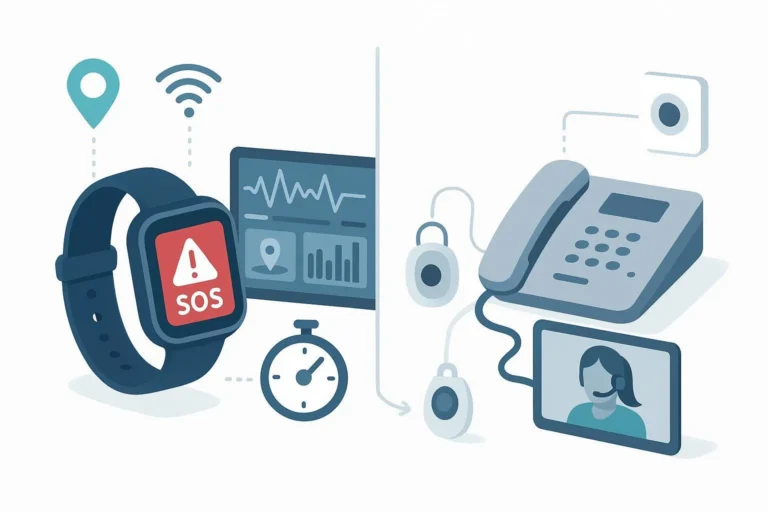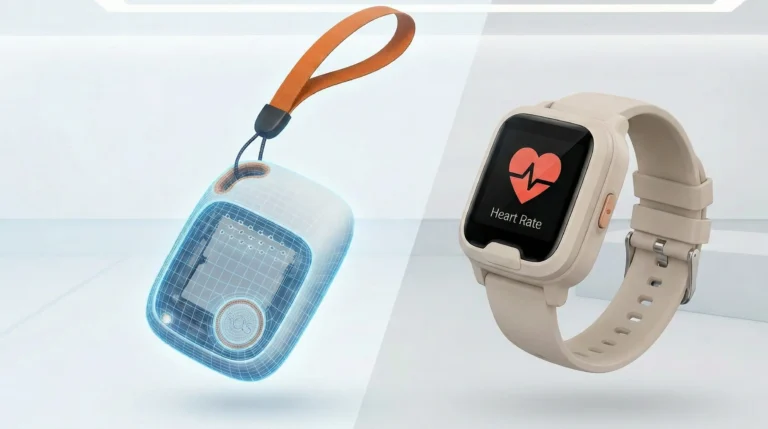
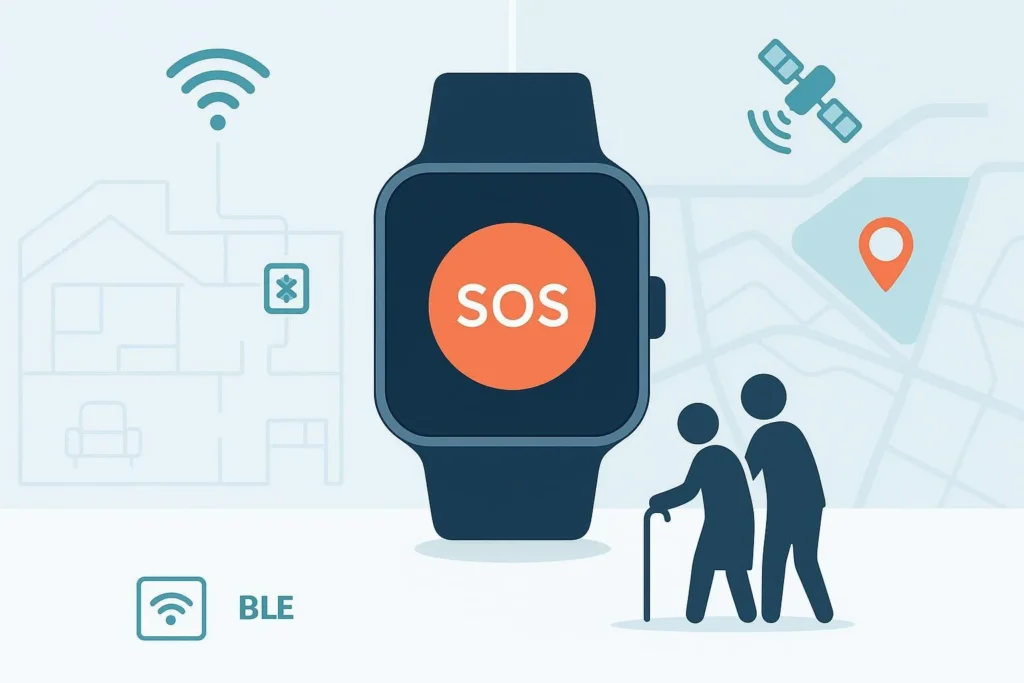
Wandering isn’t just a risk; it’s a recurring operational challenge in dementia and elderly care. The best outcomes happen when you can see where someone is—indoors and outdoors—without gaps. That’s why hybrid positioning matters: Wi‑Fi and BLE beacons provide room‑level context inside buildings, while GPS covers outdoor movement with geofences and turn‑by‑turn visibility. Put together, SOS watches keep caregivers and monitoring centers informed so they can intervene quickly.
What’s inside the positioning stack
SOS watches rely on a mix of radios and algorithms to estimate location, then publish events (SOS, geofence exit, fall detection) and telemetry to a monitoring platform.
- GPS (GNSS) outdoors: Under open sky, consumer‑grade GPS typically resolves within about 3–10 meters; urban canyons and trees degrade accuracy. See Taoglas’ overview of GPS precision and accuracy for consumer devices (1–5 m best cases) and Tracki’s practical note on real‑world GPS accuracy around 3–10 m.
- Wi‑Fi fingerprinting indoors: By comparing RSSI fingerprints against a calibrated map, Wi‑Fi can usually identify zones at ~2–5 m in typical buildings; advanced setups push toward ~1–2 m. Navigine’s primer on Wi‑Fi for indoor positioning and Mapsted’s explainer on Wi‑Fi positioning at ~2–3 m summarize what’s feasible.
- BLE beacons for room‑level: Proximity and triangulation using BLE often achieves ~1–3 m in beaconed areas. Kontakt.io’s BLE beacon guide outlines fundamentals; a 2025 study reported 96% correct room detection using BLE + motion sensors.
Here’s the short version:
| Technology | Typical Accuracy | Notes |
|---|---|---|
| GPS (open sky) | ~3–10 m | Degrades to ~20–50 m in urban canyons; small wearable antennas add constraints. Sources: Taoglas; Tracki |
| Wi‑Fi fingerprinting | ~2–5 m | Calibration and AP density matter; advanced approaches ~1–2 m. Sources: Navigine; Mapsted |
| BLE beacons | ~1–3 m | Room‑level with good placement; multisensor fusion improves reliability. Sources: Kontakt.io; Wang 2025 |
Hybrid fusion, geofences, and false‑positive control
The magic isn’t any single technology—it’s the fusion layer that decides which signal is credible right now and when to switch. Outdoors, GPS dominates; indoors, BLE/Wi‑Fi take the lead. Assisted methods like A‑GPS speed up first fixes when transitioning. A few pragmatic tactics keep noise down:
- Context‑aware switching: If BLE beacons with strong, stable RSSI are observed, prefer indoor coordinates; if beacons disappear and GPS improves, hand off outdoors.
- Confidence scoring: Blend sensor confidence (signal quality, motion) and recent history before declaring a location change.
- Geofence design: Use sensible radii and polygons—home zones for Wi‑Fi, room/wing geofences for BLE, outdoor campus geofences for GPS. Trigger “exit” only after a short persistence window (e.g., 15–30 seconds) to reduce false alarms.
- Monitoring validation: Borrow from alarm standards like UL 827 for central stations and TMA‑AVS‑01 (2024) validation scoring to prioritize genuinely risky events (geofence exit + no response + fall indicator) over transient noise.
Wi‑Fi BLE indoor positioning for SOS watches: deployment blueprints
Design isn’t one‑size‑fits‑all. Think of it this way: you’re building “visibility layers” that match the environment.
A) Private home
- Goal: Recognize “home zone,” room transitions, and doorway exits.
- Wi‑Fi: Calibrate fingerprints for key rooms; ensure stable SSIDs and avoid frequent AP relocation.
- BLE beacons: Place 1–2 beacons per key room away from metal surfaces; triangulate across hallways. Avoid cramming beacons—signal overlap should be clear but not overwhelming.
- Calibration: Create a simple grid (2–3 m spacing), collect RSSI samples facing multiple directions, and re‑calibrate after furniture or AP changes.
- Geofences: Home perimeter plus indoor “no‑go” zones (basement steps, exterior doors). Use a short persistence window to reduce false exit alerts.
B) Assisted‑living wing
- Goal: Room‑level accuracy in resident areas, corridor coverage, and entry/exit control.
- Wi‑Fi: Ensure AP density supports ~2–5 m fingerprints; map SSIDs consistently across floors.
- BLE: Triangulated beacon placement in rooms and corridor intersections; consider ceiling mounts for consistent line‑of‑sight.
- Commissioning: Run a site survey, sample RSSI at reference points, store fingerprints; maintain a change log for renovations.
- Operations: Assign risk tiers—higher‑risk residents get tighter geofences, shorter persistence windows, and higher update cadence.
C) Multi‑floor facility or campus
- Goal: Seamless handover between indoor wings and outdoor paths.
- Wi‑Fi/BLE: Label floors distinctly; avoid bleed‑over by adjusting beacon power; place anchors near stairwells/elevators.
- GPS: Draw outdoor geofences along common walking paths and campus boundaries; use A‑GPS to speed outdoor fixes at exits.
- Roaming logic: Prefer indoor coordinates when any strong beacon detected; shift to GPS when moving outside; suppress flapping by requiring consistent signals for N seconds.
Monitoring‑center workflows and SOPs
When an SOS watch signals an event, speed and clarity matter. A well‑structured workflow keeps responses consistent and auditable.
- Intake and triage: Geofence exit appears in the dashboard with last indoor/outdoor context. Operator checks signal confidence and recent motion.
- Validation scoring: Apply a rubric aligned with TMA‑AVS‑01 (2024)—combine factors like SOS pressed, no response to call‑back, fall detection, time of day, and risk tier.
- Contact and escalation: Attempt two‑way voice or caregiver call; if unresponsive and risk score is high, escalate to secondary contacts or local responders.
- Audit and reporting: Log each step, outcome, and time stamps to meet UL 827 expectations for central‑station operations.
Caregivers and operators typically view these signals in web dashboards and apps that fuse indoor/outdoor context. For example, a monitoring platform like Smart Locator’s caregiver dashboard presents live location, alerts, and geofence states in one place.
Battery, update rates, and device management
Battery life is a balancing act. More frequent updates improve precision and response times but drain the battery faster. Here’s the deal:
- Movement‑based reporting: Trigger scans and uploads when motion is detected; idle more when stationary.
- Conditional intervals: Indoors, BLE scans might run more frequently; outdoors, GPS fixes occur at sensible intervals. Test and tune per resident risk tier.
- Firmware efficiency: Vendors implement low‑energy stacks and OTA tuning to reduce drain; Digital Matter outlines battery‑saving IoT practices and movement‑based updates.
- Wearability: Prioritize IP67+ water resistance, comfortable straps, and reliable charging methods to ensure daily use.
Buyer’s selection checklist (for PMs and procurement)
- Positioning capabilities: Hybrid GPS + Wi‑Fi fingerprinting + BLE beacons; confidence scoring; A‑GPS assist.
- Geofencing and alerts: Room‑level and perimeter geofences; persistence windows; triage tools aligned to UL 827/TMA‑AVS.
- Monitoring and integrations: Web/app dashboards; APIs; audit trails; role‑based caregiver permissions.
- Deployment tooling: Site survey utilities; fingerprint calibration workflows; beacon/AP management.
- Device essentials: SOS button, two‑way voice, fall detection, LTE with 2G fallback, IP67+, practical battery endurance.
- Pilot validation: Measure indoor accuracy at reference points; test exit detection latency; track false positives for at least two weeks; document SOPs.
In practice, many telecare teams standardize on devices that already support hybrid indoor/outdoor positioning with caregiver dashboards. Disclosure: Eview is our product. Its smart wearables portfolio supports SOS watches with GPS + Wi‑Fi/BLE positioning, plus fall detection and two‑way voice in selected models. Evaluate devices and platforms against your environment and workflows; avoid one‑size‑fits‑all assumptions.
Case notes and realistic expectations
Will hybrid positioning eliminate all wandering incidents? No—humans and environments are messy. But it can meaningfully shorten search times and reduce risk when paired with clear SOPs and caregiver follow‑through. Two questions to keep front‑of‑mind: Are your indoor fingerprints current, and do operators have a fast, auditable path from alert to resolution?
Privacy and compliance
Telecare deployments handle sensitive data. Keep configurations privacy‑first: least‑privilege access, explicit caregiver consent, encrypted data in transit and at rest, and audit trails. Align procedures with facility policies and local regulations. Use multi‑tenant separation and documented change control for any infrastructure updates.
Next steps
- Run a small pilot: Select 5–10 high‑risk residents across home and facility contexts. Calibrate Wi‑Fi fingerprints, deploy BLE beacons in key rooms, draw indoor/outdoor geofences, and tune persistence windows.
- Measure outcomes: Track indoor accuracy (m), geofence exit latency (s), false‑positive rate (%), and response times. Adjust update intervals and beacon/AP placements accordingly.
- Operationalize learnings: Update SOPs and training. Re‑audit after renovations or AP changes. Schedule quarterly fingerprint refreshes.
If you need a baseline platform to visualize hybrid positioning and alerts, evaluate monitoring dashboards like Smart Locator and compare them against your integration roadmap.
References for accuracy ranges and workflows (selected):
- GPS accuracy: Taoglas on consumer GPS precision; Tracki on real‑world GPS accuracy.
- Wi‑Fi indoor positioning: Navigine’s Wi‑Fi IPS overview; Mapsted on Wi‑Fi positioning at ~2–3 m.
- BLE beacons: Kontakt.io’s beacon guide; 2025 BLE room‑detection study.
- Alarm operations: UL 827 central‑station guidance; TMA‑AVS‑01 (2024) validation scoring.