Choosing the best remote patient monitoring platform (RPM platform) is no longer just a technical decision—it’s a strategic investment in patient outcomes, operational efficiency, and long-term reimbursement.
According to the Centers for Medicare & Medicaid Services (CMS), remote patient monitoring enables providers to collect and analyze patient health data outside traditional care settings.
With a growing number of RPM software vendors, remote patient monitoring companies, and enterprise RPM solution providers, healthcare organizations must evaluate platforms based on clinical, technical, and financial criteria.
This guide provides a structured framework to compare RPM vendors, evaluate RPM software solutions, and choose the best platform for your practice in 2026.
What Is the Best RPM Platform?
The best RPM platform is one that:
-
Integrates seamlessly with your EHR
-
Supports Medicare RPM reimbursement requirements
-
Aligns with your clinical workflows
-
Scales with your patient population
There is no one-size-fits-all solution—only the platform that best fits your operational model.
To understand how RPM drives revenue, see our guide on RPM reimbursement strategy and CPT billing requirements.
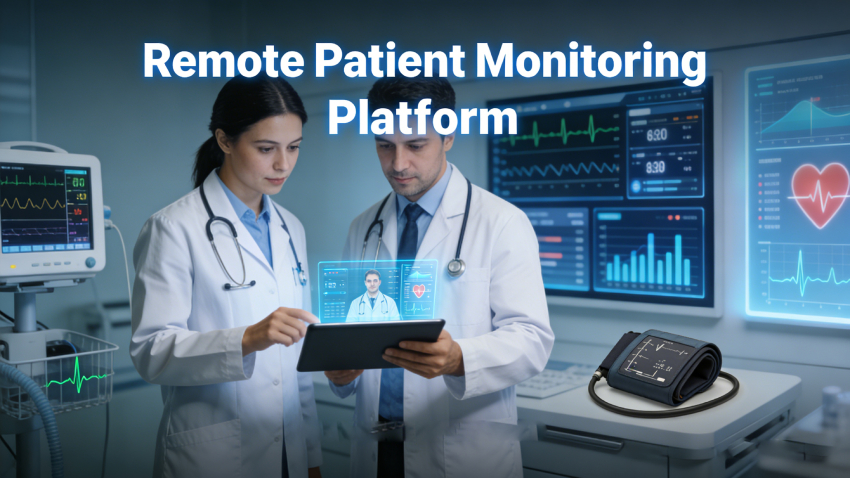
What Is a Remote Patient Monitoring Platform?
A remote patient monitoring platform, also referred to as RPM software or RPM system, is a digital solution that enables providers to collect, analyze, and act on patient health data outside traditional clinical settings.
These platforms connect:
-
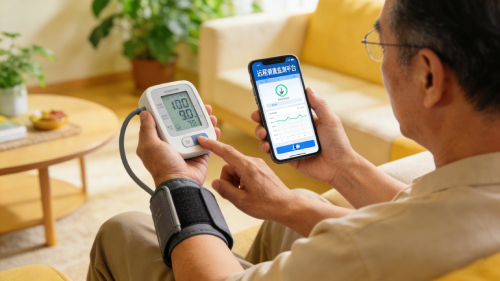
Medical devices (blood pressure, glucose, SpO₂)
-
Patients (via apps or hubs)
-
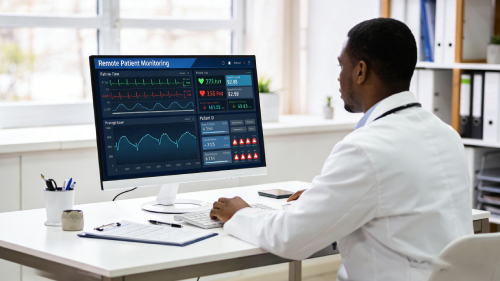
Providers (via dashboards and alerts)
According to the Centers for Medicare & Medicaid Services (CMS), RPM adoption has increased significantly due to expanded reimbursement policies and demand for chronic care management.
In summary, an RPM platform enables continuous, data-driven care beyond the clinic.
RPM Platform vs RPM Software: Is There a Difference?
The terms RPM platform and RPM software are often used interchangeably, but there is a subtle difference:
-
RPM software typically refers to the application layer (dashboards, analytics)
-
RPM platforms include devices, infrastructure, integrations, and workflows
In practice, most healthcare providers should evaluate end-to-end RPM platforms, not standalone software.
This distinction is important when comparing RPM solution providers and healthcare RPM companies, as capabilities vary significantly.
Key Factors When Choosing an RPM Platform for Healthcare Providers
To choose the right RPM solution, providers should evaluate four core dimensions:
Clinical Capabilities
-
Supports chronic disease management (e.g., hypertension, diabetes)
-
Enables care team intervention workflows
Technical Infrastructure
-
EHR integration (Epic, Cerner)
-
API availability and scalability
Financial Alignment
-
Supports Medicare RPM billing requirements
-
Enables accurate CPT documentation
Operational Fit
-
Easy onboarding
-
Minimal staff burden
Industry insight:
From an operational perspective, most failed RPM implementations are due to workflow misalignment—not technology limitations.
In summary, the best RPM platform aligns with how your organization actually delivers care.

Essential RPM Platform Features (What to Look For in 2026)
When comparing RPM software vendors, prioritize platforms that include:
-
Real-time patient monitoring dashboards
-
Device integration (FDA-approved IoT devices)
-
Automated alerts and escalation workflows
-
Patient engagement tools (apps, SMS, adherence tracking)
-
Advanced analytics and reporting
Leading remote patient monitoring companies are also investing in:
-
AI-driven risk stratification
-
Predictive alerts
-
Multi-condition monitoring
In summary, feature depth determines both clinical effectiveness and scalability.
EHR Integrated RPM Platforms: Why Interoperability Matters
For most healthcare providers, choosing an EHR-integrated RPM platform is critical.
Benefits:
-
Eliminates duplicate documentation
-
Improves clinician efficiency
-
Enables real-time data visibility
Look for:
-
FHIR-based integration
-
HL7 compatibility
-
Native support for Epic, Cerner, or Athenahealth
A scalable RPM platform should integrate seamlessly into existing workflows rather than requiring parallel systems.
RPM Platform Compliance Requirements (HIPAA & Medicare)
Compliance is a core requirement when evaluating RPM solution providers.
According to CMS guidelines, RPM services are reimbursable under specific CPT codes when certain requirements are met.
Key Requirements:
-
HIPAA-compliant infrastructure
-
End-to-end encryption
-
Secure access controls
-
Audit logging
Medicare RPM Requirements:
-
Use of FDA-defined medical devices
-
Ongoing data collection
-
Support for CPT billing workflows
Learn more in our Medicare RPM billing requirements and CPT reimbursement guide
In summary, compliance ensures both patient safety and financial sustainability.
RPM Platform Pricing & Cost Comparison
Understanding RPM software cost is essential for decision-making.
Common Pricing Models:
| Model | Description |
|---|---|
| Subscription | Fixed SaaS pricing |
| Per-patient | Scales with enrollment |
| Device bundle | Hardware + software included |
Hidden Costs:
-
Device logistics
-
Integration fees
-
Staff training
-
Ongoing support
ROI Perspective
A mid-sized clinic implementing RPM reported up to 30% reduction in hospital readmissions, improving both clinical outcomes and revenue.
This aligns with the broader benefits of remote patient monitoring, including reduced acute care utilization.
In summary, ROI depends on both reimbursement and operational efficiency.
Types of RPM Vendors (Comparison Guide)
Healthcare providers must understand the landscape of RPM software vendors and remote patient monitoring companies.
RPM Vendor Comparison Table
| Vendor Type | Best For | Pros | Cons |
|---|---|---|---|
| All-in-One RPM Platforms | Small–mid clinics | Easy setup, billing support | Less customizable |
| Device-Focused Companies | Specialty care | High-quality devices | Limited software |
| Software-Only RPM Vendors | Large systems | Flexible, scalable | Requires IT resources |
In summary, vendor type should match your infrastructure and care model.
Best RPM Platforms & Remote Patient Monitoring Companies (Examples)
Some leading RPM solution providers include:
-
Current Health
-
Cadence
-
HealthSnap
-
CoachCare
These top remote patient monitoring companies differ in:
-
Device ecosystems
-
EHR integration depth
-
Billing automation
Always evaluate based on your workflow—not brand recognition.
RPM Vendor Evaluation Framework (For Healthcare Decision Makers)
To systematically compare RPM software vendors, use this framework:
1. Clinical Capabilities
-
Disease coverage
-
Care protocols
2. Technical Infrastructure
-
Integration capability
-
Scalability
3. Financial Model
-
Pricing transparency
-
Reimbursement alignment
4. Vendor Support
-
Onboarding
-
Training
-
Account management
In summary, structured evaluation reduces risk and improves long-term success.
How to Choose Between RPM Vendors: A Quick Decision Guide
If you are:
-
A small clinic → Choose all-in-one RPM platforms
-
A large health system → Prioritize EHR integration and scalability
-
A telehealth provider → Focus on patient engagement tools
In summary, the best RPM platform is the one that aligns with your operational model—not the most feature-rich solution.
Why Many RPM Implementations Fail
Despite strong adoption, many RPM programs fail.
Common Reasons:
-
Poor workflow integration
-
Low patient adherence
-
Lack of staff training
Expert insight:
Technology alone does not guarantee success—implementation strategy is equally critical.
In summary, platform selection and operational execution must go hand in hand.
RPM Implementation Timeline & Workflow Example
Typical Timeline:
-
Vendor selection (2–4 weeks)
-
Integration (2–6 weeks)
-
Training (1–2 weeks)
-
Patient onboarding (ongoing)
Workflow Example:
-
Patient enrolled
-
Device shipped
-
Data transmitted daily
-
Alerts triggered
-
Clinician reviews and bills
FAQ: Choosing an RPM Platform
What is the best RPM platform for small practices?
All-in-one RPM platforms are typically best due to ease of use and built-in billing features.
How much does RPM software cost?
Costs range from $20 to $150 per patient per month, depending on services and vendor.
Do RPM platforms integrate with Epic or Cerner?
Yes, most modern RPM platforms support integration via FHIR or HL7.
What devices are required for RPM?
Common devices include blood pressure monitors, glucometers, and pulse oximeters.
Is RPM covered by Medicare?
Yes, RPM is reimbursable under CPT codes such as 99453, 99454, 99457, and 99458.